Gaming via VPN: Myths About Ping and DDoS Protection
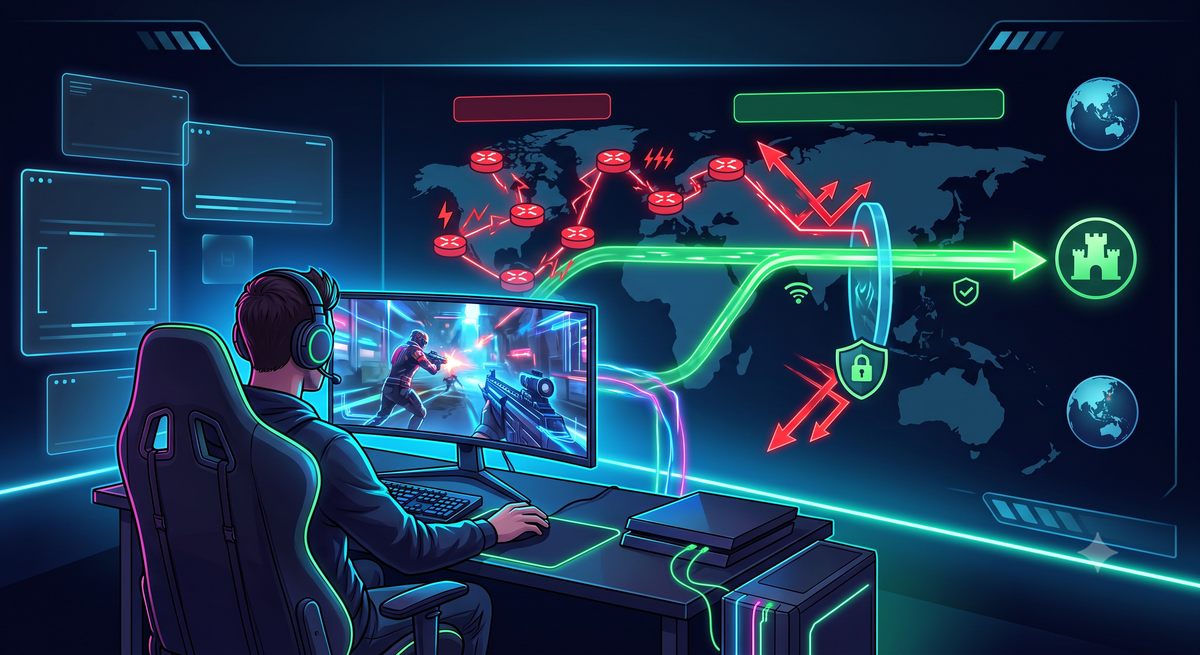
Gaming via VPN: Myths About Ping and DDoS Protection
Why do gamers consider using a VPN in the first place?
- Protection against ISP bandwidth throttling
- Ability to play from anywhere in the world
- Early access to game releases
- Access to region-locked or blocked games
- Bypassing IP-based bans in games
- Reducing response times and lag spikes
- Defense against DDoS attacks
Key Terms: Ping, Latency, and Packet Loss
Put simply, ping is your reaction time. It is the round-trip time measured in milliseconds (ms) required for a signal to travel from your computer to the game server and back.
- If ping is a round trip, latency is a one-way journey.
- Packet Loss refers to data packets failing to reach their destination along the path.
How Data Travels: From Your PC to the Game Server (ISP Routing)
- Local Network: The packet leaves your PC and travels to your home router.
- Internet Service Provider (ISP): Your router sends the packet to your local provider's neighborhood equipment, then on to the city's network hub.
- Backbone (Tier-1 Operators): This is where routing gets complicated. Your local ISP does not maintain a direct cable to the game server (e.g., in Frankfurt). Instead, it hands your packet off to a larger backbone provider.
- Hops: The packet jumps from one router to another across networks. Each jump is called a Hop.
- Data Center: The packet reaches the target network hosting the game server and finally enters the game instance.
In an ideal scenario, your signal would travel in a straight line: Your City → Game Server. In reality, ISPs often select routes based on cost rather than speed, forcing your signal to travel thousands of unnecessary extra miles. Ping spikes, and packet loss occurs on congested nodes in transit hubs like Amsterdam—even if you are physically close to the server.
This is where a VPN steps in. If your ISP directs your connection down a convoluted path, a VPN can forcibly reroute your traffic.
- Without a VPN: Your ISP dictates the route (frequently choosing the cheapest, slower path).
- With a VPN: You connect to a VPN server that maintains a direct, higher-quality connection line to the game server.
Myth vs. Reality: VPNs, Game Bans, and DDoS Attacks
A DDoS attack floods your internet connection with malicious traffic, causing your connection to drop and kicking you out of the match.
- Legacy & Peer-to-Peer (P2P) Games: In titles relying on P2P architectures (such as older Call of Duty releases, GTA Online, or fighting games), connections are established directly between players. Uncovering your IP address in these environments is straightforward. For P2P games, a VPN is essential for streamers and competitive players to mask their real IP.
Bypassing Geographic Restrictions
- Unlocking Games: Certain titles may be restricted in specific regions due to licensing agreements or local regulations. A VPN allows you to virtually relocate to another country to download the client and access game servers.
- Early Access (Time Zone Trick): Gamers frequently use VPNs to connect to servers in New Zealand or Australia, allowing them to start playing hours ahead of their local regional release windows.
Matchmaking Manipulation (SBMM and Lobbies)
Experienced players in competitive shooters (such as Call of Duty: Warzone or Apex Legends) sometimes deploy VPNs to land in easier matches rather than for security.
- How it works: A player connects to a VPN server in a time zone where it is currently late at night or early morning (resulting in a low active player pool).
- The result: The Skill-Based Matchmaking (SBMM) system fails to gather enough players of equivalent skill levels and is forced to backfill the lobby with lower-tier players or bots to minimize queue times.
How to Choose a VPN for Gaming
1. Speed and Protocols
The classic OpenVPN standard is secure but resource-heavy. Games demand modern, low-overhead protocols where every millisecond matters:
- WireGuard: Lightweight codebase, instant handshake times, and minimal CPU overhead (crucial for maintaining system performance on lower-end CPUs).
2. Server Infrastructure
Physical server placement matters significantly:
- Proximity to game data centers: If the game servers are located in Frankfurt, you need a VPN server situated specifically in Frankfurt, not just anywhere in Germany.
- Avoiding Virtual Locations: Some providers advertise "Servers in India" when the physical hardware actually resides in the UK. For a gamer, this routing loop is disastrous: your signal travels to the UK, routes through India, and then returns back to you.
3. Console & Router Support
Consoles like the PlayStation 5, Xbox Series X, and Nintendo Switch do not support native VPN applications.
- Requirement: Look for providers that supply ready-made WireGuard or OpenVPN configurations along with setup guides for home routers.
- Smart DNS: A simplified alternative. While it does not function as a full VPN (it does not change your IP or encrypt traffic), it spoofs DNS requests to bypass basic geo-blocks on consoles (e.g., accessing alternative media libraries or regional console stores).
A gaming VPN is a specialized tool that should be pulled from your inventory only for specific scenarios.
Comments ()