Keys Under the Doormat: Why Storing Passwords in Your Browser Is Riskier Than You Think, and Which Manager to Choose
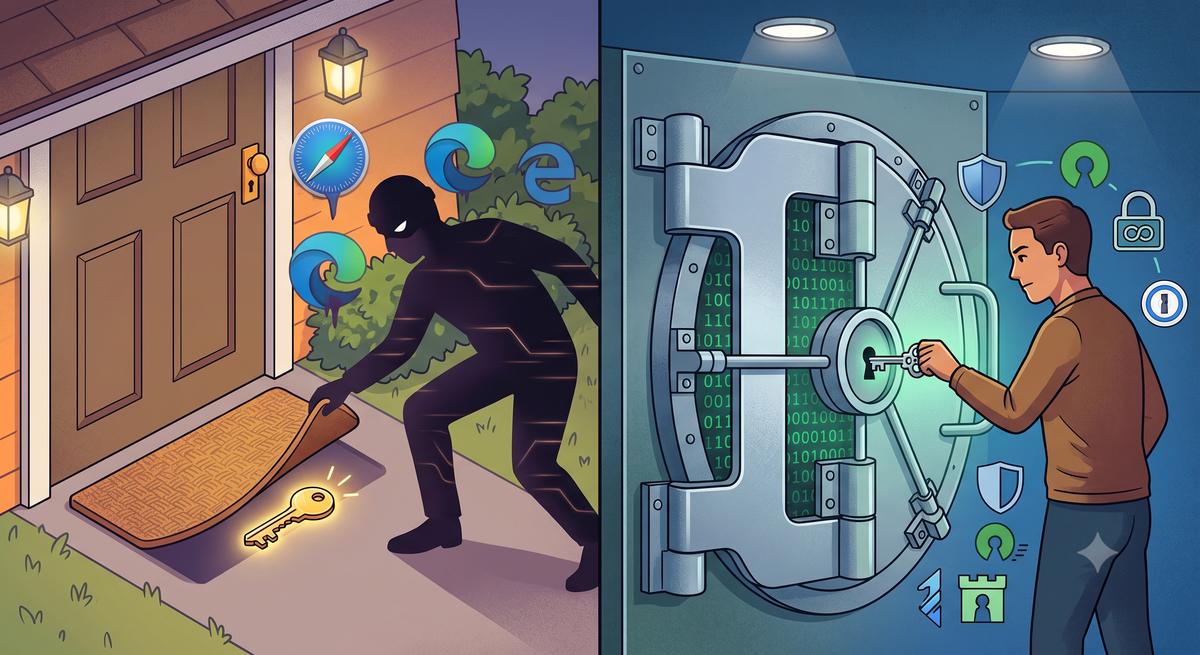
It is no secret that modern web browsers strive to be as convenient as possible. They offer to block ads, translate pages on the fly, and, most importantly, save your passwords with a single click so you never have to memorize complex combinations of letters and symbols again. However, behind this convenient feature lies a fundamental vulnerability. By entrusting their credentials to a web browser, users voluntarily hand over their entire digital identity to the mercy of the first malicious script that comes along.
Why Is a Browser the Worst Place to Store Passwords?
To put it simply: browsers were created to render web pages and navigate the internet quickly, not to provide uncompromised protection for sensitive data. When you save a password in Chrome, Edge, or Firefox, it is encrypted using the operating system's built-in tools (such as DPAPI on Windows or Keychain on macOS). While this sounds secure, the system has a fatal flaw: the encryption key is tied to your current user account.
If malware from the InfoStealer class (such as Lumma, RedLine, or StealC) infects your computer or smartphone, it runs with your system permissions. To the browser, a request to decrypt the database appears entirely legitimate. Within seconds, the stealer extracts the entire file containing your saved logins, passwords, and session cookies—without even requiring a "master password." The browser hands everything over without a fight because it cannot isolate secrets from the primary operating environment.
Overview of Dedicated Password Managers
Dedicated password managers operate on a fundamentally different principle. They store data in an encrypted "vault," the key to which exists solely in your head—this is your Master Password, which is never transmitted to external servers in plain text.
Let's look at three leading solutions trusted by security experts:
1. Bitwarden: The Open-Source Gold Standard
- How it works: An open-source project featuring a zero-knowledge architecture. Your data is encrypted directly on your device before being sent to the cloud.
- Key Pros: An excellent free tier with no limit on the number of devices, regular independent security audits, and the option to self-host for those who do not trust third-party cloud infrastructure.
- Cons: The interface is slightly more utilitarian and rigid compared to commercial ecosystems.
2. KeePass / KeePassXC: Absolute Autonomy and Local Control
- How it works: A completely offline password manager. No clouds, no centralized servers, and no corporation behind your back. Your database is a single encrypted file (
.kdbx) stored exclusively on your own devices. - Key Pros: The gold standard for absolute privacy enthusiasts. The encrypted file cannot be hacked remotely through a server breach, simply because the project has no servers to breach.
- Cons: Syncing between your phone and computer rests entirely on your shoulders (requiring manual file transfers or your own secured cloud storage), and the interface requires time to configure.
3. 1Password: Premium Comfort and Dual-Layer Protection
- How it works: A popular commercial service utilizing a Secret Key architecture. On top of your master password, a unique 128-bit key is generated and stored exclusively on your authorized devices.
- Key Pros: Excellent user experience (UX), sophisticated phishing protection, Passkey support, and convenient family sharing options. Even if attackers manage to steal the encrypted vault from 1Password's servers, decrypting it is technically impossible without your local Secret Key.
- Cons: No free tier (subscription only) and a closed-source core codebase.
What Are the Pitfalls?
This raises the question: does using a single password manager turn your device into a single point of failure?
I would suggest that while a risk exists, it is incomparably lower than storing credentials in a browser. To breach an isolated password manager, an attacker would need more than a basic script—they would have to deploy sophisticated targeted malware, such as keyloggers or clipboard-hijacking tools. Utilizing two-factor authentication (2FA) along with a strong master password reduces these risks to a minimum.
What Remains for Users?
If you want to prevent a random click on a malicious link from costing you all your accounts, banking access, and personal communications, you must draw two key conclusions:
- First, you must once and for all export and clear your browser's password storage, as well as disable the automatic prompt to save passwords.
- Second, choose a security model that fits your needs: if you want a reliable open-source solution with cloud sync, choose Bitwarden; if you want absolute local control without a single server, choose KeePassXC; if your priority is a polished UX for family or team use, choose 1Password.
Storing passwords in a browser is the digital equivalent of leaving your house keys under the front doormat. It is remarkably convenient until the first burglar passes by knowing exactly where to look. In a world where data breaches happen daily and infostealers are sold on underground forums for pennies, migrating your passwords to an isolated, encrypted vault is not paranoia—it is basic digital hygiene that separates a free user from the victim of the next digital compromise.
Comments ()