Router-Level VPN: How to Turn Your Home Network into an Impregnable Fortress
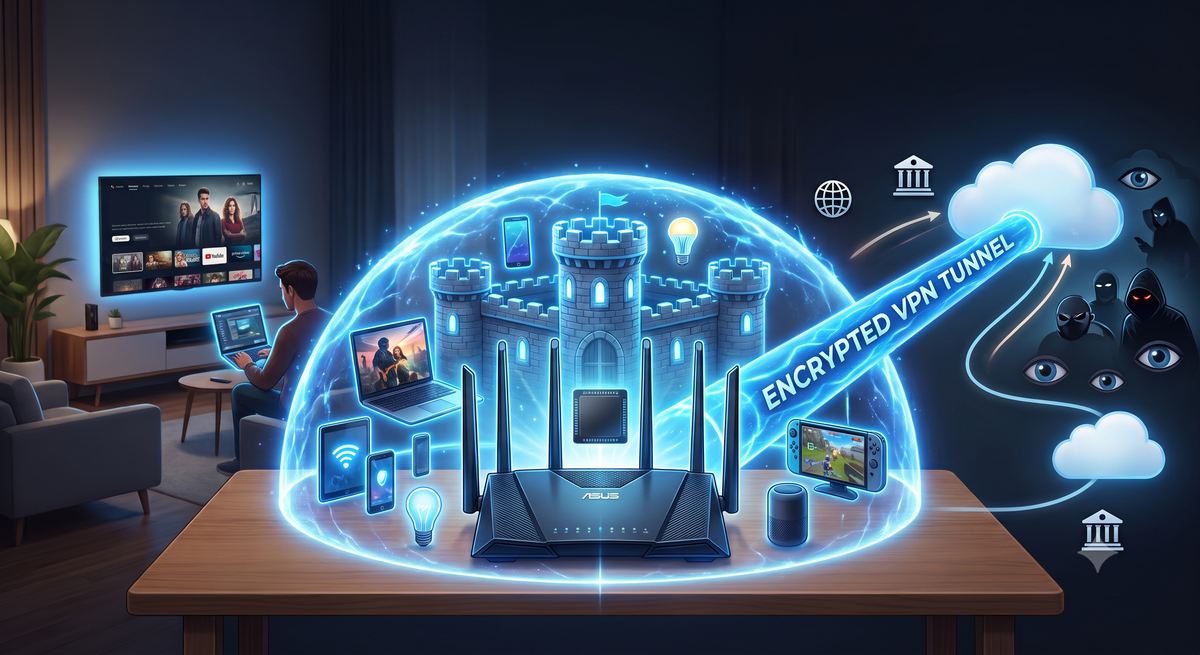
It is no secret that configuring a VPN client on every single device in your home—from smartphones and laptops to your child's tablet—is a peaceful activity right up until you need to connect a Smart TV, a streaming box, or smart speakers to an encrypted channel. With ISPs in Eastern Europe throttling traffic using Deep Packet Inspection (DPI) systems and Western European regulators logging metadata under laws like Chat Control, protecting an individual phone leaves a massive blind spot. The solution to this problem is moving your "digital shield" to the home router level.
Installing a VPN directly on your router allows you to automatically encrypt all incoming and outgoing traffic in your home, including devices where installing third-party software is physically impossible.
Why Is a Router VPN Convenient Yet Technically Challenging?
The main advantage of this approach is the "set it and forget it" concept. Any new device that connects to your Wi-Fi is instantly shielded by the tunnel. Furthermore, it bypasses the connection limits imposed by commercial services: to a VPN provider, your entire household looks like a single client.
However, there is a serious technical catch—your router's CPU performance.
To put it simply: traffic encryption is a mathematically heavy task. Standard budget routers provided by ISPs for a nominal fee have weak processors. If you try to force a heavy classical protocol like OpenVPN onto such a router, your home internet speed will instantly plummet from 100 Mbps to a paltry 10–15 Mbps, and the router itself will start freezing from overheating.
Architecture and Protocol Selection for Routers
To prevent your home network from becoming a bottleneck, choosing the right protocol and firmware is crucial:
- WireGuard / AmneziaWG: The ideal choice for mid-range routers. Thanks to its lightweight codebase, WireGuard places minimal load on the CPU and delivers maximum speed. The AmneziaWG modification adds obfuscation against DPI systems, which is critical for Eastern European networks.
- VLESS / Xray on OpenWrt: A solution for advanced users. The custom OpenWrt firmware paired with Xray packages allows you to run modern obfuscated protocols (VLESS + REALITY) directly on the router. This guarantees that your ISP won't even realize your home network is using a VPN.
- Keenetic / ASUS (Merlin): Turnkey solutions for those who prefer to avoid deep command-line configuration. Modern models from these brands support hardware acceleration for encryption and allow traffic routing on the fly.
The Main Secret: Selective Routing (Split Tunneling)
This begs the question: do you really need to funnel all your home traffic through an encrypted tunnel? Downloading multi-gigabyte game updates or watching local news through a foreign VPN will only lead to high latency (ping) and blocks from local banking applications.
I would assume that isolating your entire home network behind a single VPN server is an extreme measure that will quickly frustrate your household.
That is why the modern approach to router-level VPNs is built on selective routing. Rules are configured on the router:
- Social networks, blocked resources, and sensitive services automatically route through the encrypted VPN tunnel.
- Banks, government portals, streaming services, and heavy downloads go directly through your local ISP at maximum speed.
What Remains for Users?
If you want to protect your family's digital footprint and stop relying on the whims of individual applications, you must draw two key conclusions:
- First, we must rethink our hardware choices. The era of three-penny ISP boxes is over: comfortable encryption performance requires a router with a capable ARM processor and sufficient RAM (from 256–512 MB), supporting OpenWrt or advanced manufacturer firmware.
- Second, we must master granular traffic management. A router-level VPN should function as a smart filter rather than a solid wall slowing down the entire house's internet connection.
In Conclusion
In a world where smart TVs leak viewing habits to ad brokers and ISPs log metadata for every connected gadget, the router becomes the primary battleground for your digital defense. Moving encryption to the home network level is not just a convenience—it is the only way to guarantee privacy for the entire family, turning your home into off-limits territory for any outside eyes.
Comments ()